
GitHub Portfolio for Junior Developers: What to Include (and What to Remove))
Updated on February 11, 2026 11 minutes read
Your GitHub profile can open doors fast or quietly close them because it’s one of the first places hiring teams look for proof of real, hands-on skills.
If you’re a junior developer or switching careers into tech, your GitHub portfolio often stands in for “experience” until you’ve had your first role.
The good news is you don’t need dozens of repositories to look credible. You need a small set of projects that are easy to understand, easy to run, and clearly yours.
This article walks you through exactly what to include in a job-ready GitHub portfolio, what to remove (or hide), and how to shape your profile so it tells a clear story in under a minute.
Why your GitHub portfolio matters more than you think
Recruiters and hiring managers are busy, so they scan for signals instead of reading every line. They want to know if you can ship features, explain decisions, and work like a teammate.
A strong GitHub portfolio for junior developers reduces uncertainty. It shows that you don’t just “know concepts,” you can build, debug, and document real software.
It also helps you stand out when your resume is light. When two candidates look similar on paper, the one with a polished GitHub often gets the interview.
How hiring teams review a junior GitHub profile
Most reviewers follow the same pattern: profile page, pinned repositories, README quality, then a quick code skim. If something looks confusing or messy early, they usually move on.
They’re not expecting enterprise-level architecture from a junior. They’re looking for clear thinking, clean basics, and evidence you can keep improving.
That’s why presentation matters as much as code. A simple project with excellent documentation often beats a complex project that nobody can run.
Pick a clear direction so your portfolio feels intentional
Before you polish anything, decide which kind of role you’re aiming for right now. Your GitHub doesn’t need to cover every interest, but your best work should point in one direction.
If you want frontend roles, emphasize UI, accessibility, performance, and testing. If you want backend or full-stack roles, emphasize APIs, databases, authentication, and deployment.
If you’re still exploring, choose a “default” target for your next 8–12 weeks. You can always pivot later, but right now, you want your GitHub to look focused.
What to include in your GitHub portfolio
Start with a clean profile that reads like a landing page
Think of your GitHub profile as the front desk of your personal brand. In a few seconds, someone should understand your target role, your stack, and how to contact you.
Add a short bio that includes your goal and core tools, like “Junior Full-Stack Developer | React, Node, PostgreSQL.” Include a link to LinkedIn or a portfolio site, and add a contact option that you actually check.
Also, pin your best work so it’s impossible to miss. A reviewer shouldn’t have to dig through a list of random repos to find your strongest projects.
Add a Profile README that guides the reader
A Profile README is one of the highest-impact upgrades you can make. It helps you control the narrative instead of letting GitHub’s default layout do the talking.
Use it to highlight two to four featured projects, each with a one-line description and a demo link. Add a short “What I’m learning now” section to show momentum without oversharing.
Keep it calm and simple. You’re aiming for clarity and confidence, not a flashy wall of badges.
Choose 3–6 flagship repositories, not 30 experiments
A common mistake is treating GitHub like a storage drive for every tutorial and practice file. That creates noise, and noise makes people assume your work is unfocused.
A strong junior portfolio usually includes one bigger “anchor” project plus a few supporting projects. This combination proves you can handle both depth and polish.
As a practical mix, aim for one full-stack or end-to-end project, one smaller but beautifully finished app, and one repo that proves a specific skill like testing, TypeScript, or data analysis.
Include projects that resemble real problems, not only “toy apps.s”
Tutorial projects can help you learn, but portfolio projects should show ownership. Ownership means you made decisions, handled trade-offs, and improved the project beyond the walkthrough.
If you’re applying for web development roles, build something with real flows like sign-up, search, filtering, and error states. If you’re aiming for data roles, show a clean pipeline from raw data to insight, with reproducible steps.
If you’re exploring cybersecurity, focus on defensive work like scripts, hardening checklists, and lab write-ups. You want to demonstrate responsible learning without sharing anything unsafe.
Write READMEs that make your work easy to evaluate

A README is not decoration. It’s your project’s first interview, and it answers the reviewer’s main question: “What is this, and why should I care?”
Start with a one-sentence problem statement, then add a demo link and screenshots. Explain the core features in plain language before you list tools and setup steps.
Include installation steps that actually work, and mention any environment variables clearly. A reviewer who can run your project quickly is far more likely to remember you.
Here’s a simple README structure you can reuse:
# Project Name
One-line description of the problem this solves.

## Demo
Live: https://...
Screenshots/GIF: (add image)

## Features
Describe the 3–6 most important user-facing features.

## Tech Stack
Frontend:
Backend:
Database:
Testing/CI:

## Setup
1) Clone
2) Install
3) Add environment variables (see .env.example)
4) Run locally

## What I learned
A few bullets about decisions, trade-offs, and improvements.

## Roadmap
2–4 next steps that show product thinking.
Show “good engineering habits” even at the beginner level
You don’t need perfect architecture to impress a hiring team. You need signs that you work carefully and can contribute to a team process.
Add linting and formatting so your code looks consistent. Include a .gitignore, and never commit node_modules or secrets.
If your project uses environment variables, add an .env.example with placeholder values. This tiny detail often separates “beginner practice” from “job-ready project.”
Add basic tests where they matter most
Testing is a strong differentiator for juniors because many applicants skip it. Even a few high-value tests can signal professionalism and reduce reviewer anxiety.
For a web app, test your most important user flows like login, form validation, and API error handling. For an API, test key endpoints and authorization rules.
Be honest in your README about what you tested. “Basic tests added for auth and main endpoints” is credible and useful.
Add simple CI so your repo looks active and reliable
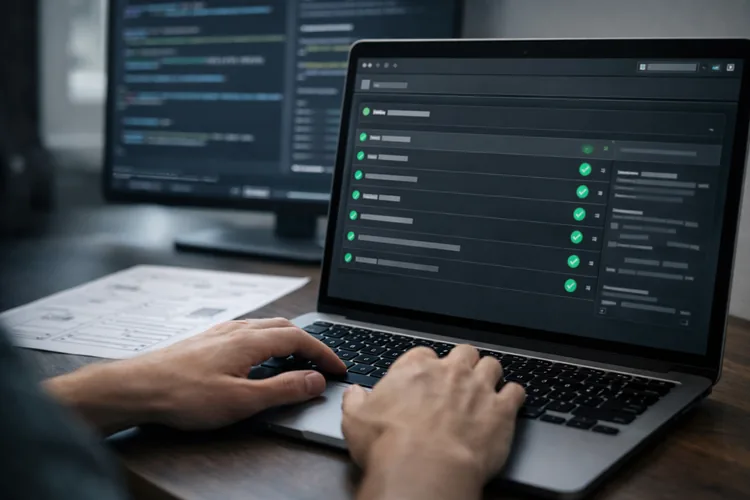
Continuous integration sounds advanced, but the basic version is straightforward. A simple GitHub Actions workflow that runs lint and tests on push makes your repo feel real.
It also helps reviewers trust that your project won’t break the second they clone it. That kind of trust matters more than most people realize.
A minimal workflow might look like this:
name: CI
on: [push, pull_request]
jobs:
  checks:
    runs-on: ubuntu-latest
    steps:
      - uses: actions/checkout@v4
      - uses: actions/setup-node@v4
        with:
          node-version: 20
      - run: npm ci
      - run: npm run lint
      - run: npm test
Include a live demo when it makes sense
A live demo reduces friction because someone can see results instantly. It’s especially powerful for frontend and full-stack projects.
If your app requires authentication, add a safe demo user or a guided walkthrough in the README. If a live demo isn’t practical, include a short GIF showing the main features.
Just make sure the demo is stable. A broken demo link hurts more than no demo at all.
What to remove (or make private) from your GitHub
Remove clutter that hides your best work
Many juniors have ten versions of a “to-do app” or a “weather app.” That’s normal learning, but it creates a messy first impression.
If a repo doesn’t support your current job target, consider archiving it or making it private. Your goal is not to erase your journey, but to curate what strangers see first.
Keep one or two learning repos only if you improved them significantly and can explain what you changed and why.
Hide unfinished repos that don’t run
Unfinished isn’t always bad, but “doesn’t work” is a problem. If a reviewer can’t install or run your project, they can’t trust what it demonstrates.
If you want to keep an unfinished project public, add a short note in the README. Explain what works, what doesn’t, and what you would build next.
That turns an incomplete repo into a signal of honesty and planning, rather than a signal of abandonment.
Remove anything that contains secrets or sensitive data
This is the fastest way to lose trust. If you accidentally committed API keys, tokens, passwords, or .env files, fix it immediately.
Rotate the keys, remove them from the repository, and clean up your Git history if needed. Simply deleting a line in the latest commit may not be enough.
A “clean security baseline” is especially important if you’re targeting full-stack or cybersecurity roles, because employers will notice.
Reduce repos with messy commit history in your flagship work
Nobody expects perfect commit messages from a junior. What hiring teams do notice is carelessness that looks ongoing.
If your main portfolio repos are full of messages like “final final” or “stuff,” it can make your work feel rushed. Start using clear commit messages today, even if your older repos are messy.
For flagship repos you plan to share widely, consider cleaning history only if you understand the process. It’s better to be consistent going forward than to break a repo trying to rewrite the past.
Avoid huge binary files and random uploads
GitHub is great for code, not for storing massive files. Large videos, zip exports, and random assets make a repo feel disorganized.
If you need to include images, keep them optimized and relevant to the README. If you need datasets, link to the source and document how you used them.
A clean repository structure helps reviewers find your best code quickly, which increases your chances of a positive evaluation.
How to choose what to pin on GitHub
Pinned repositories are your storefront window. Most reviewers will look at those first, so choose them like you’re choosing what to place at eye level.
Pin projects that show range while staying relevant to your target role. You want a mix that proves you can build, not just experiment.
A strong set often includes one “big” project that shows end-to-end ability, plus two or three smaller projects that show quality habits like testing, documentation, or UI polish.
Make your GitHub understandable to non-technical reviewers
Not everyone who opens your GitHub is an engineer. Sometimes it’s a recruiter doing an early screen, or a manager who codes less day-to-day.
Help them by adding a short “Why this matters” section in each README. Explain what problem the project solves and what outcome it delivers.
Also, add a “What I learned” section that focuses on real decisions. Mention trade-offs like performance, validation, deployment issues, or accessibility, because those sound like real work.
Add collaboration signals, even if you worked solo
Hiring teams care about teamwork because most jobs are collaborative. If your GitHub looks like you’ve never worked with review or feedback, it can raise questions.
You can add collaboration signals by using Issues to plan tasks, writing good PR descriptions, or opening PRs against your own repo for major changes.
Even small open-source contributions count, especially documentation improvements. The key is demonstrating that you understand the workflow used in real teams.
If you want support building these habits, a program with mentoring and structured feedback can help. Many learners also benefit from career guidance like portfolio reviews and interview prep through Code Labs Academy Career Services.
A realistic weekend plan to clean up your GitHub portfolio
Start by auditing your profile like a stranger. Pretend you’re a recruiter who only has 60 seconds,s and ask what stands out and what confuses you.
Next, sort your repositories into three groups: keep and polish, archive or private, and delete. This quick triage immediately improves your profile’s signal-to-noise ratio.
Then polish your flagship projects one by one. Add a clear README, screenshots, setup steps, and an .env.example if needed, and verify everything runs from a clean install.
Finally, pin your best work and reorder it so the most relevant project appears first. If you’re applying for frontend roles, put your best UI project at the top.
If you’d like a guided approach, explore the bootcamps overview or schedule a call with an advisor to get clarity on the best learning path for your goals.
A portfolio checklist you can use before you apply
Your profile should clearly state your target role and core tech stack. It should also include a contact method and a link to LinkedIn or a portfolio site.
Your pinned repositories should match the jobs you want, and each pinned repo should have a strong README with screenshots or a demo. The setup steps should work, and the project should run locally from a clean install.
Your flagship repos should avoid secrets, include an .env.example where relevant, and show basic quality habits like linting, formatting, and at least a few meaningful tests.
Your repository list should feel curated, not chaotic. If older tutorial work is burying your best projects, archive or hide it so reviewers see your strongest work immediately.
If you want extra practice materials while polishing your projects, you can also check the free resources in the Code Labs Academy Learning Hub.
Conclusion: Build a GitHub that earns trust in under a minute
A great GitHub portfolio for junior developers is not about showing everything you’ve ever coded. It’s about presenting a focused set of projects that prove you can build, explain, and improve software.
Prioritize a clean profile, 3–6 polished repositories, strong READMEs, and basic engineering habits like testing and safe configuration. Remove clutter, hide broken work, and eliminate anything that risks security or trust.
If you want a faster, mentored path to job-ready skills and a portfolio that aligns with real roles, explore Code Labs Academy bootcamps. When you’re ready, you can also apply here and take the next step toward your tech career.